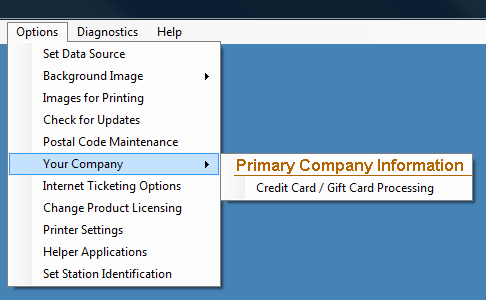
YOUR COMPANY INFORMATION
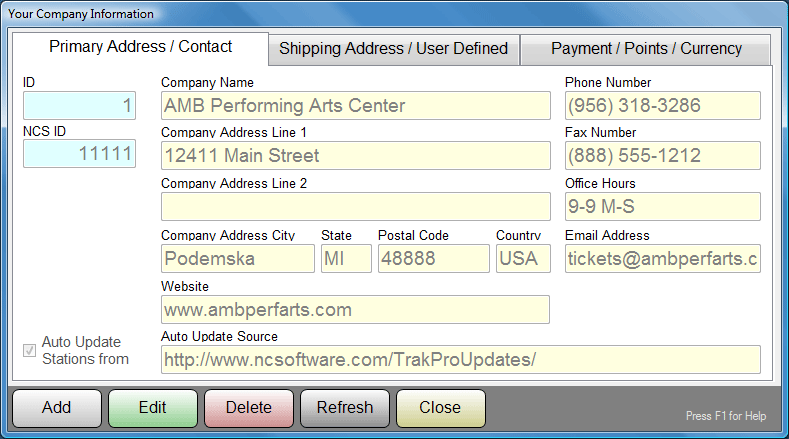
Company configuration information is entered in three separate panels on this
screen. The first, PRIMARY ADDRESS / CONTACT, pictured above, is for your
company’s name and address and other similar information. These field entries
become available for Ticket, Receipt and Report printing. In addition to
contact information, this screen also allows the ADMIN to set the policy for
automatic station updates. Here the ADMIN has selected to ENABLE auto
updates at each station, and the station will look to the default
location of the NCS Website for Trak Pro updates. For
speed and convenience, the update location can be set to a server that is LOCAL
to your organization's network. In this way, NCS need only provide updated
EXE and DLL files to your local server, and all of your POS stations will pick
up their updates from YOUR server, MUCH faster than a "long distance"
web connection.
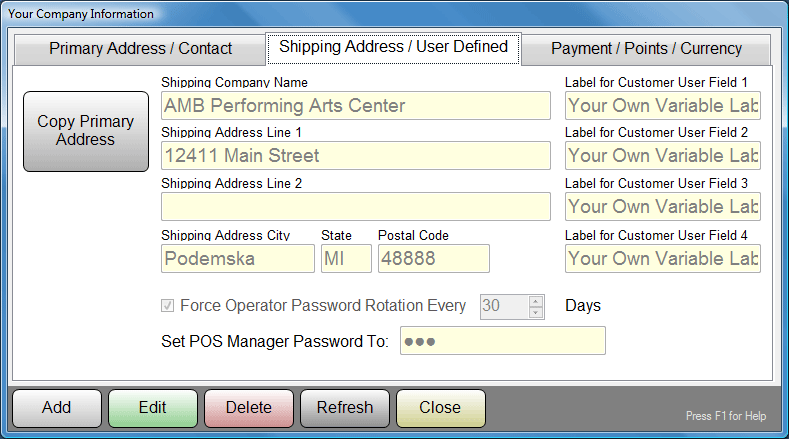
The second panel, SHIPPING ADDRESS / USER DEFINED, pictured above, is for
entering your shipping address, naming the four user defined customer fields,
and establishing the system Manager Password for POS Stations. You can
also set up mandatory password rotation for your POS Operators.
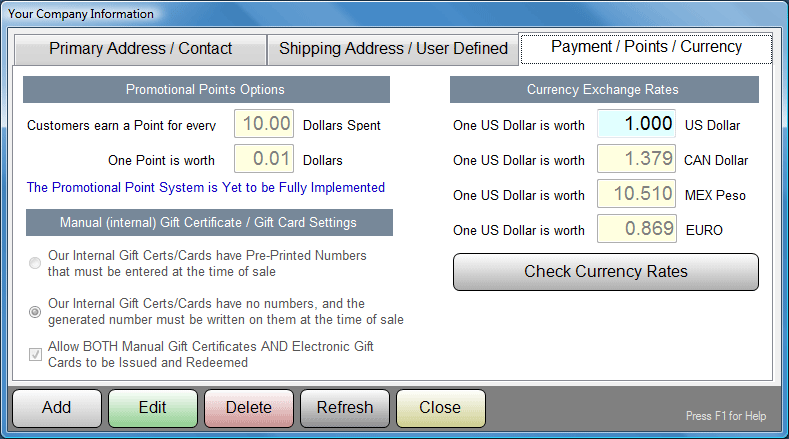
The third panel, PAYMENT / POINTS / CURRENCY, pictured above, allows you to set
up a customer rewards point system, set Gift Card tracking options, and enter
currency rates for those customers that frequently handle foreign currency.
Clicking on the CHECK CURRENCY RATES button will pull up an internet browser,
and connect to an international source for currency exchange rates.